 ClearNative
Choose for everyday use
An everyday account should make it easy to receive money, pay bills and buy essentials. Before choosing one, write down how you expect to use it: local purchases, overseas transfers, cash withdrawals or visits to a branch. There is no single account that suits every newcomer.
Compare the costs you will actually use
ASIC Moneysmart recommends comparing transaction-account fees and features. Look at monthly fees, ATM costs, overdraft charges and international transaction costs. A fee waiver can have conditions, so read the current terms rather than relying on a promotional headline.
- Can you meet any minimum deposit or other fee-waiver conditions?
- Will you need a nearby branch while setting up your identity checks?
- How will you receive the debit card if your address is temporary?
- What does the provider charge for the international transactions you expect to make?
Ask the provider before applying
Use these boxes while this page is open, or print a copy. Web checkmarks are not saved.
Make the first week easier
Keep a short note of your application date and the next step the bank gave you. If your accommodation will change soon, ask how to update your mailing address before ordering a card. Set a reminder to check the account once the first transactions have settled.
Use the bank’s official app or a website address you have checked independently. Never give another person your password or one-time code to “finish setup”. If an unexpected message says verification failed, contact the bank using details from its official website.
How this fits your arrival plan
Banking is one part of the arrival checklist. Keep tax administration separate: the ATO’s TFN application process has its own requirements. Check account-specific questions with the bank; this guide does not recommend a provider or assess your personal financial circumstances.
From your arrival plan to a checklist in the app
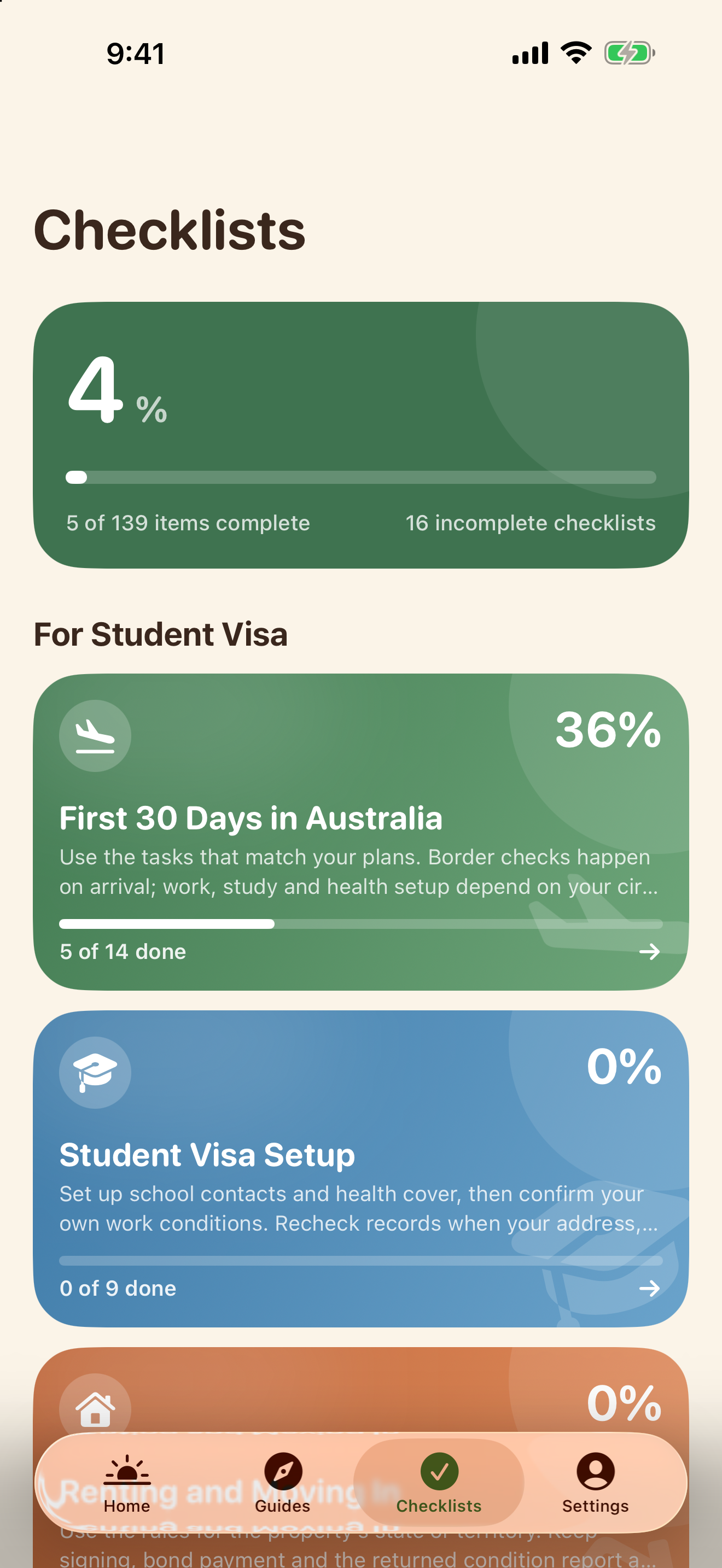
Use the web guide to prepare, then open NewToAU to keep track of your checklist. The screenshots below show the real English iPhone interface with an example profile and demonstration progress.
Find your next checklist
Tap Checklists. Open First 30 Days in Australia or another checklist relevant to your situation.
Tick completed steps
Open the checklist and tick the tasks you have completed. The progress summary updates as you go.
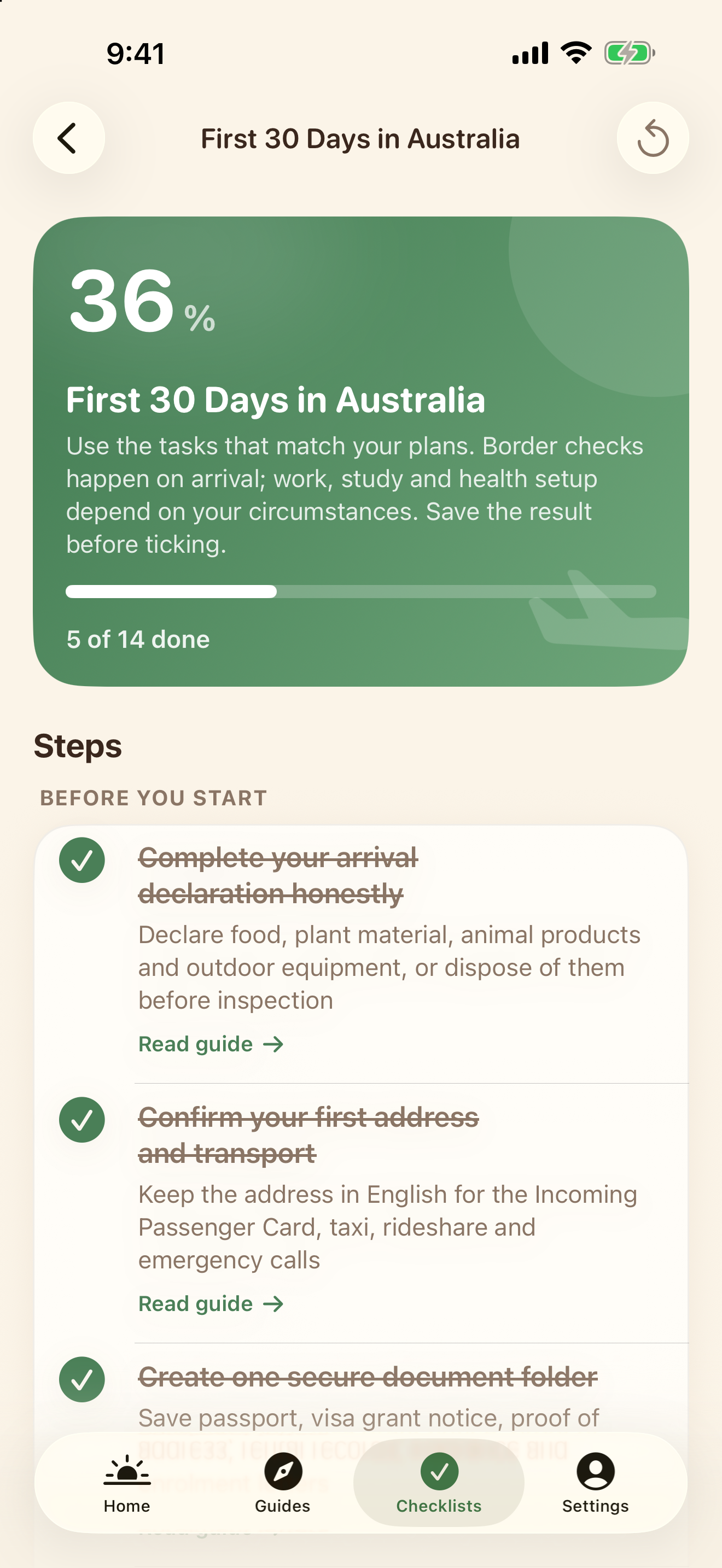
Your state and category help filter relevant content; they are not an eligibility assessment. Web tasks do not sync into the app. NewToAU does not submit applications or store your identity documents.
Official sources & scope
Use the linked official guidance to confirm requirements for your own circumstances. ClearNative is an independent publisher, not a government service.
General planning information. Eligibility and requirements depend on your circumstances. Official sources checked for this guide on 19 October 2026.