 ClearNative
Record the condition before it becomes hard to see
A condition report records the property at the start of the rental agreement and may become evidence in a later dispute. In Victoria, Consumer Affairs Victoria says renters must return it within five business days of moving into the property. Check its current instructions for your situation, including what to do if no report was supplied.
Work through one room at a time
Use these boxes while this page is open, or print a copy. Web checkmarks are not saved.
Make your evidence easy to understand
A folder named “bedroom 2” is easier to use later than a mixed camera roll. For each issue, record the room, item, what you observed and the matching photo filename. Write an observation such as “scratch on inside of bedroom door” rather than guessing how it happened.
Photograph before boxes and furniture cover the surfaces. If you notice something after your first pass, record when you found it and contact the agent promptly. Do not edit a photo in a way that changes the evidence it shows.
Report repairs separately
Do not assume that adding a comment to the condition report is the same as lodging a repair request. Tell the agent about items that need attention through the appropriate channel, and keep that correspondence with the report. For urgent or dangerous issues, seek the appropriate help immediately.
Keep a copy you can retrieve later
Save the report, original photos and delivery confirmation in a private folder with a backup. Before replacing a phone or closing an email account, make sure you can still access them. These are tenancy records; avoid uploading them to public checklist or image-sharing pages.
For the wider process, see renting in Victoria. For your next property viewing, use the separate viewing checklist. Deadlines elsewhere in Australia can differ.
Keep your moving tasks together in NewToAU
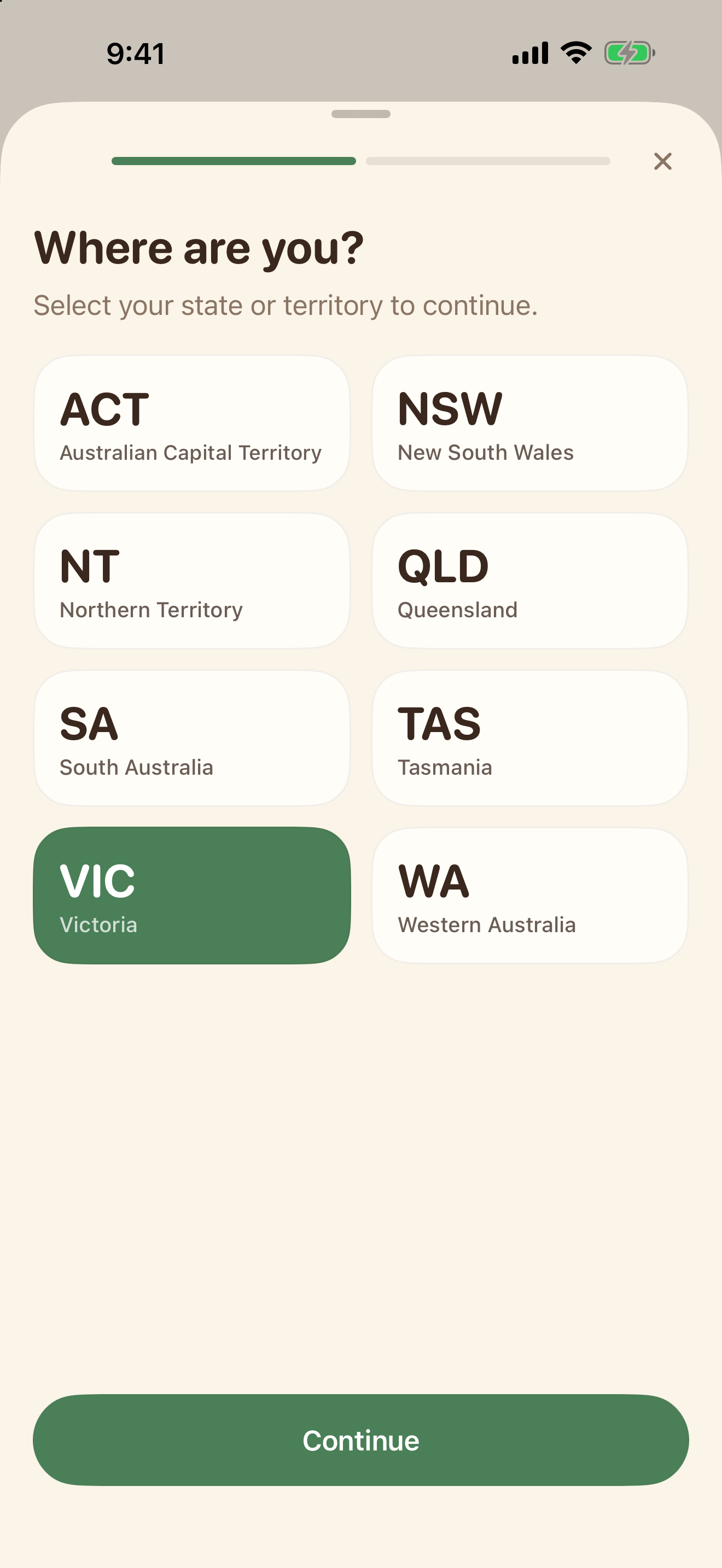
Use the web guide to prepare, then open NewToAU to keep track of your checklist. The screenshots below show the real English iPhone interface with an example profile and demonstration progress.
Choose your state
Open Settings and tap your profile card. Choose the state or territory where you live.
Open your moving checklist
Tap Checklists → Renting and Moving In. Open the checklist and tick the steps you have completed. Keep tenancy records separately.
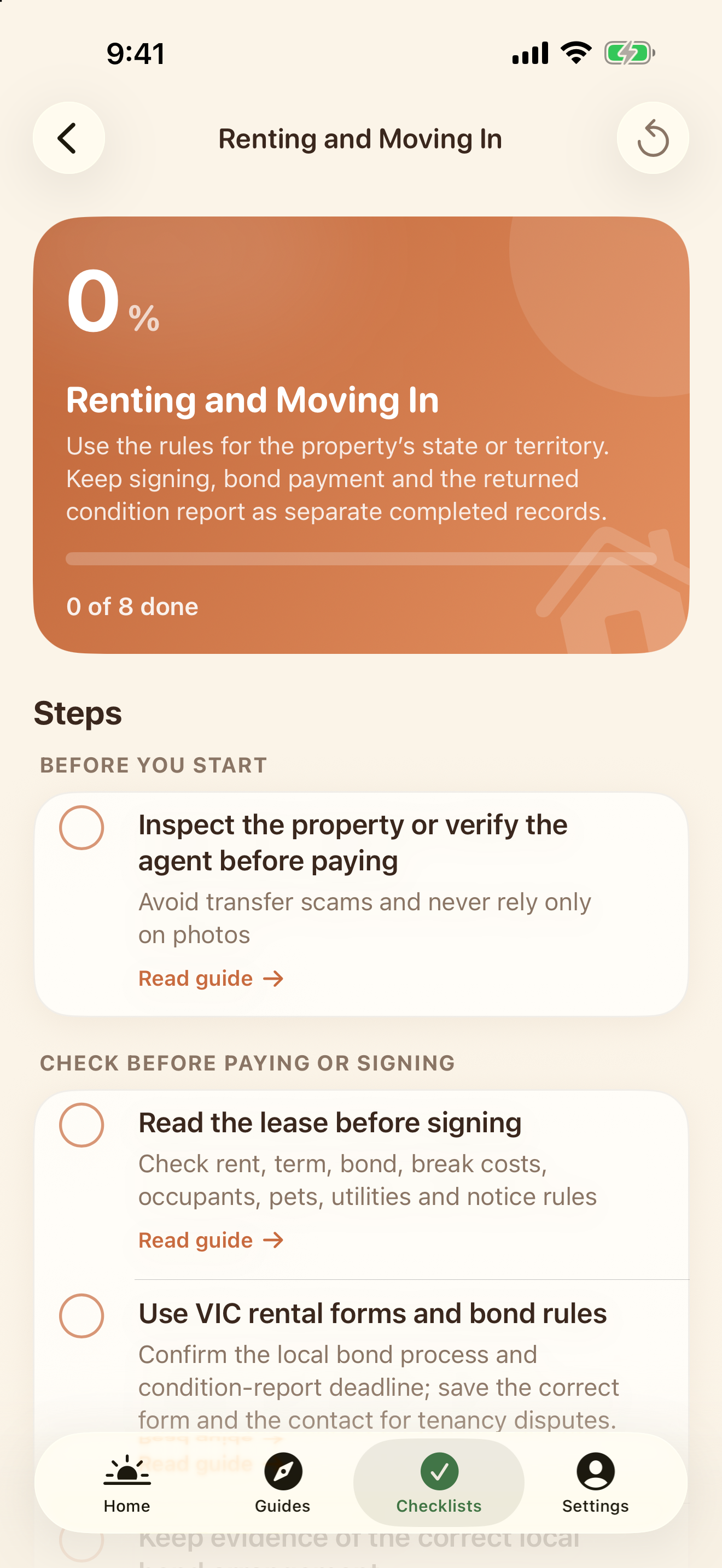
Your state and category help filter relevant content; they are not an eligibility assessment. Web tasks do not sync into the app. NewToAU does not submit applications or store your identity documents.
Official sources & scope
Use the linked official guidance to confirm requirements for your own circumstances. ClearNative is an independent publisher, not a government service.
General planning information. Eligibility and requirements depend on your circumstances. Official sources checked for this guide on 19 October 2026.